> ## Documentation Index
> Fetch the complete documentation index at: https://docs.cubic.dev/llms.txt
> Use this file to discover all available pages before exploring further.
# Memory and learning
> Teaching cubic to provide increasingly relevant suggestions.
cubic learns your team's unwritten rules from two sources: direct feedback on its comments, and patterns extracted from your senior engineers' historical code reviews.
 ## How cubic learns
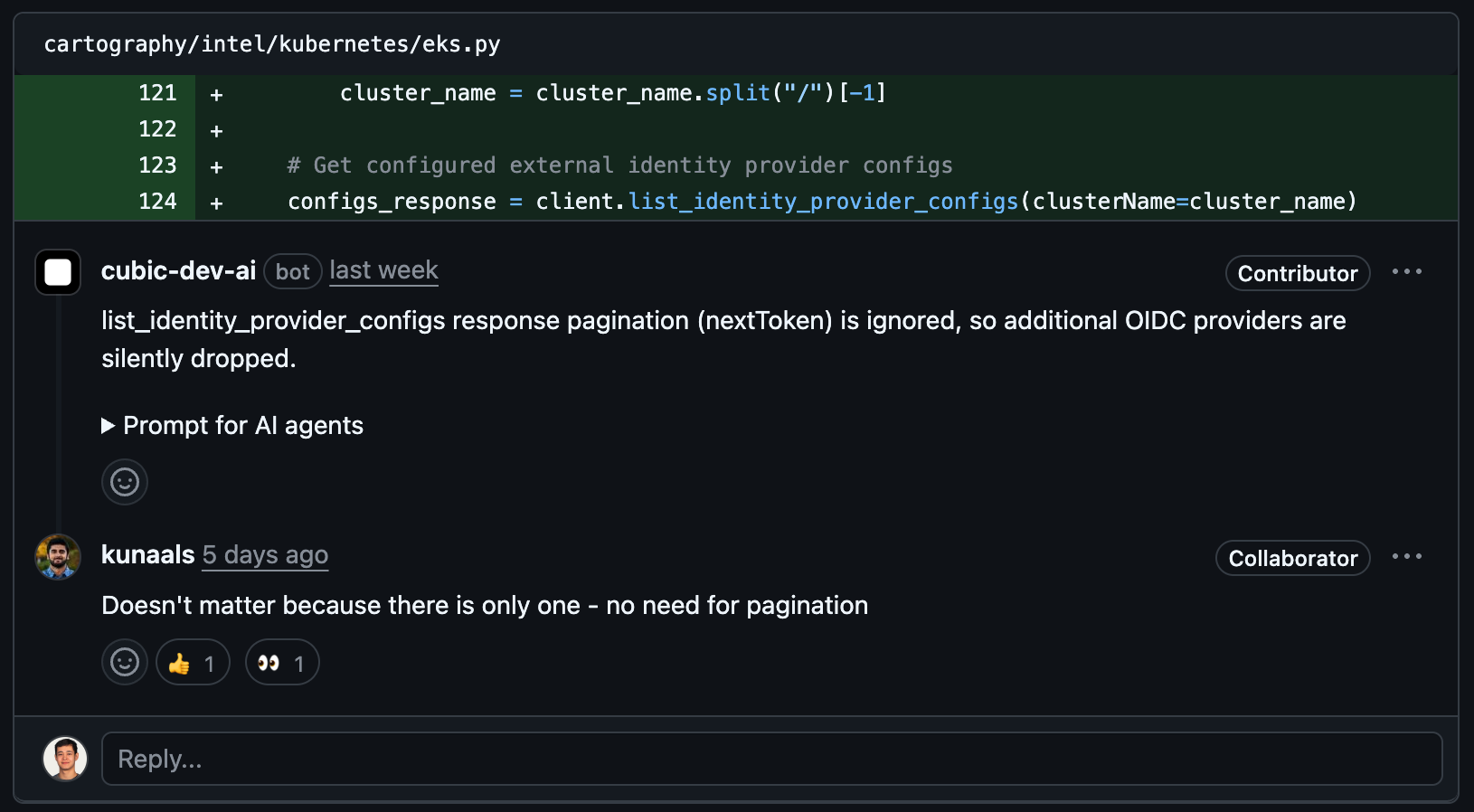
cubic automatically learns when you:
* **Reply to its comments:** Type a response explaining what cubic should do differently, and it remembers for next time
* **Provide context in threads:** Explain why something matters to your team, and cubic incorporates that knowledge
* **React to suggestions:** Thumbs up/down help cubic calibrate what's useful vs noise for your specific codebase
## Senior reviewer learnings
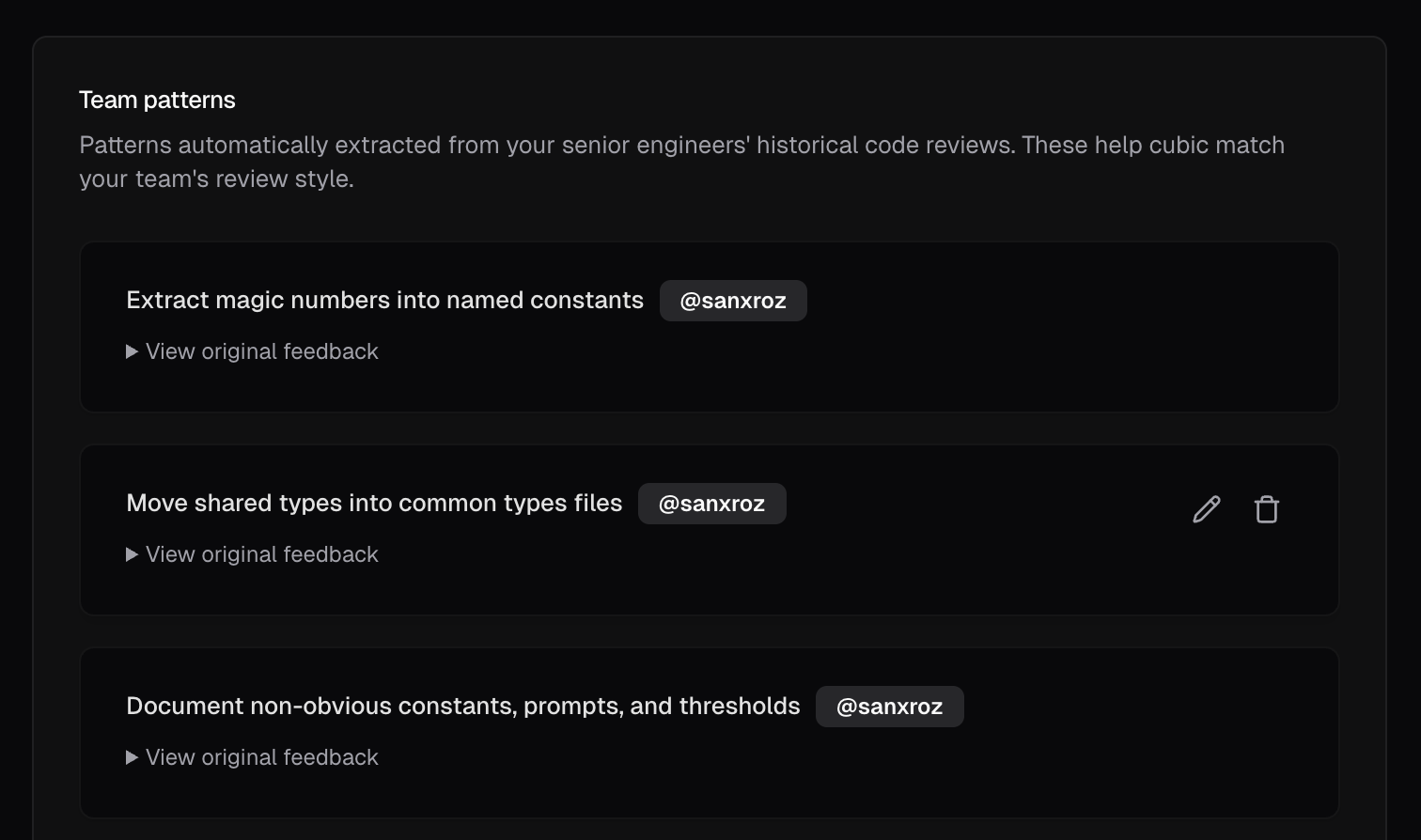
During onboarding, you can select your team's most experienced reviewers. cubic analyzes their historical PR comments to extract learnings from the patterns they consistently enforce. These become senior reviewer learnings that help cubic match your team's review style.
All senior reviewer learnings appear in your [Learnings Tab](https://www.cubic.dev/ai-review?tab=learnings) grouped under "Team patterns" showing you exactly what cubic learned from your engineers' reviews.
## How cubic learns
cubic automatically learns when you:
* **Reply to its comments:** Type a response explaining what cubic should do differently, and it remembers for next time
* **Provide context in threads:** Explain why something matters to your team, and cubic incorporates that knowledge
* **React to suggestions:** Thumbs up/down help cubic calibrate what's useful vs noise for your specific codebase
## Senior reviewer learnings
During onboarding, you can select your team's most experienced reviewers. cubic analyzes their historical PR comments to extract learnings from the patterns they consistently enforce. These become senior reviewer learnings that help cubic match your team's review style.
All senior reviewer learnings appear in your [Learnings Tab](https://www.cubic.dev/ai-review?tab=learnings) grouped under "Team patterns" showing you exactly what cubic learned from your engineers' reviews.
 ## What cubic remembers
* **Team-specific patterns:** "We always use early returns" or "Integration tests required for API endpoints"
* **Technical constraints:** "This library causes performance issues in our stack"
* **Process requirements:** "Check with platform team before modifying auth service"
Each learning is scoped to your team. Your feedback trains your instance of cubic, not everyone else's.
## How feedback improves existing learnings
Feedback can become a learning when it describes a rule that cubic can apply in future reviews. For example, "Require pagination for endpoints that return lists" can become a learning, while "Rename this variable in this PR" applies only to the current pull request.
cubic compares qualifying feedback with the repository's existing learnings. It can:
* **Create** a new learning when the feedback adds new guidance.
* **Improve** an existing learning, such as adding "except in generated parsers" to "Use early returns."
* **Remove** an outdated learning, such as an Axios warning after your team approves Axios.
* **Keep** an existing learning when it already covers the feedback.
Broad feedback and short replies such as "thanks" or "done" do not become learnings.
## How cubic applies learnings
During reviews, cubic uses relevant learnings to find issues and avoid repeating known false positives.
The **Do not apply when** section records exceptions. For example, a learning that says "Require authentication middleware for API routes" might say "Do not apply when the route is a public health check."
## Weekly learning cleanup
Each week, cubic reviews your learnings to keep the guidance useful. It combines duplicates, archives guidance that no longer improves reviews, and keeps guidance that needs more evidence. Archived learnings stop affecting reviews and disappear from the active Learnings list.
## Review and manage learnings
* Open [AI review → Learnings](https://www.cubic.dev/ai-review?tab=learnings) to browse everything cubic has learned, and to edit or delete learnings
* Search and filter by rule to pinpoint the guidance that matters to specific parts of your codebase
## Privacy and control
* **Explicit learning only:** cubic only learns from feedback directly addressed to it in comments
* **Team-scoped:** Learnings never leak between different organizations or repositories
* **Transparent history:** View and manage all learnings in the AI review settings dashboard
## Import learnings from other AI code review tools
You can import a CSV of learnings exported from another service:
* Start by exporting existing learnings from other services. Check the docs on how to [export from CodeRabbit](https://docs.coderabbit.ai/knowledge-base/learnings#export-learnings).
* Open the [Learnings Tab](https://www.cubic.dev/ai-review?tab=learnings) and select **Import CSV** from the three-dot menu.
* Drag and drop a CSV file (max 5MB) with column names. We'll auto-detect properties based on column names for you, or you can use our downloadable [CSV template](https://www.cubic.dev/templates/learnings-import-template.csv). Note that 'repository' and 'description' columns are required.
* Review that all data is correct and click Import. We'll process the learnings in the background and send you an email once the import is complete.
This documentation is built and hosted on [Mintlify](https://mintlify.com), a developer documentation platform.
## What cubic remembers
* **Team-specific patterns:** "We always use early returns" or "Integration tests required for API endpoints"
* **Technical constraints:** "This library causes performance issues in our stack"
* **Process requirements:** "Check with platform team before modifying auth service"
Each learning is scoped to your team. Your feedback trains your instance of cubic, not everyone else's.
## How feedback improves existing learnings
Feedback can become a learning when it describes a rule that cubic can apply in future reviews. For example, "Require pagination for endpoints that return lists" can become a learning, while "Rename this variable in this PR" applies only to the current pull request.
cubic compares qualifying feedback with the repository's existing learnings. It can:
* **Create** a new learning when the feedback adds new guidance.
* **Improve** an existing learning, such as adding "except in generated parsers" to "Use early returns."
* **Remove** an outdated learning, such as an Axios warning after your team approves Axios.
* **Keep** an existing learning when it already covers the feedback.
Broad feedback and short replies such as "thanks" or "done" do not become learnings.
## How cubic applies learnings
During reviews, cubic uses relevant learnings to find issues and avoid repeating known false positives.
The **Do not apply when** section records exceptions. For example, a learning that says "Require authentication middleware for API routes" might say "Do not apply when the route is a public health check."
## Weekly learning cleanup
Each week, cubic reviews your learnings to keep the guidance useful. It combines duplicates, archives guidance that no longer improves reviews, and keeps guidance that needs more evidence. Archived learnings stop affecting reviews and disappear from the active Learnings list.
## Review and manage learnings
* Open [AI review → Learnings](https://www.cubic.dev/ai-review?tab=learnings) to browse everything cubic has learned, and to edit or delete learnings
* Search and filter by rule to pinpoint the guidance that matters to specific parts of your codebase
## Privacy and control
* **Explicit learning only:** cubic only learns from feedback directly addressed to it in comments
* **Team-scoped:** Learnings never leak between different organizations or repositories
* **Transparent history:** View and manage all learnings in the AI review settings dashboard
## Import learnings from other AI code review tools
You can import a CSV of learnings exported from another service:
* Start by exporting existing learnings from other services. Check the docs on how to [export from CodeRabbit](https://docs.coderabbit.ai/knowledge-base/learnings#export-learnings).
* Open the [Learnings Tab](https://www.cubic.dev/ai-review?tab=learnings) and select **Import CSV** from the three-dot menu.
* Drag and drop a CSV file (max 5MB) with column names. We'll auto-detect properties based on column names for you, or you can use our downloadable [CSV template](https://www.cubic.dev/templates/learnings-import-template.csv). Note that 'repository' and 'description' columns are required.
* Review that all data is correct and click Import. We'll process the learnings in the background and send you an email once the import is complete.
This documentation is built and hosted on [Mintlify](https://mintlify.com), a developer documentation platform.