> ## Documentation Index
> Fetch the complete documentation index at: https://docs.cubic.dev/llms.txt
> Use this file to discover all available pages before exploring further.
# Keyboard shortcuts
> Search pull requests, navigate diffs, and review from the keyboard.
Most of a review in cubic works from the keyboard. To open the command bar, press `Cmd + K` on macOS
or `Ctrl + K` on Windows and Linux. Search for any PR, page, or action from there.
## Find a PR or action
Type `#` or `/` to search pull requests by title, PR number, repository, or author. Use the arrow
keys and `Enter` to select a result. Press `Esc` to close the command bar.
The command bar opens with the commands for the page you're on. In the inbox, your review queue
and recent PRs come next. Search ranks commands and pull requests together.
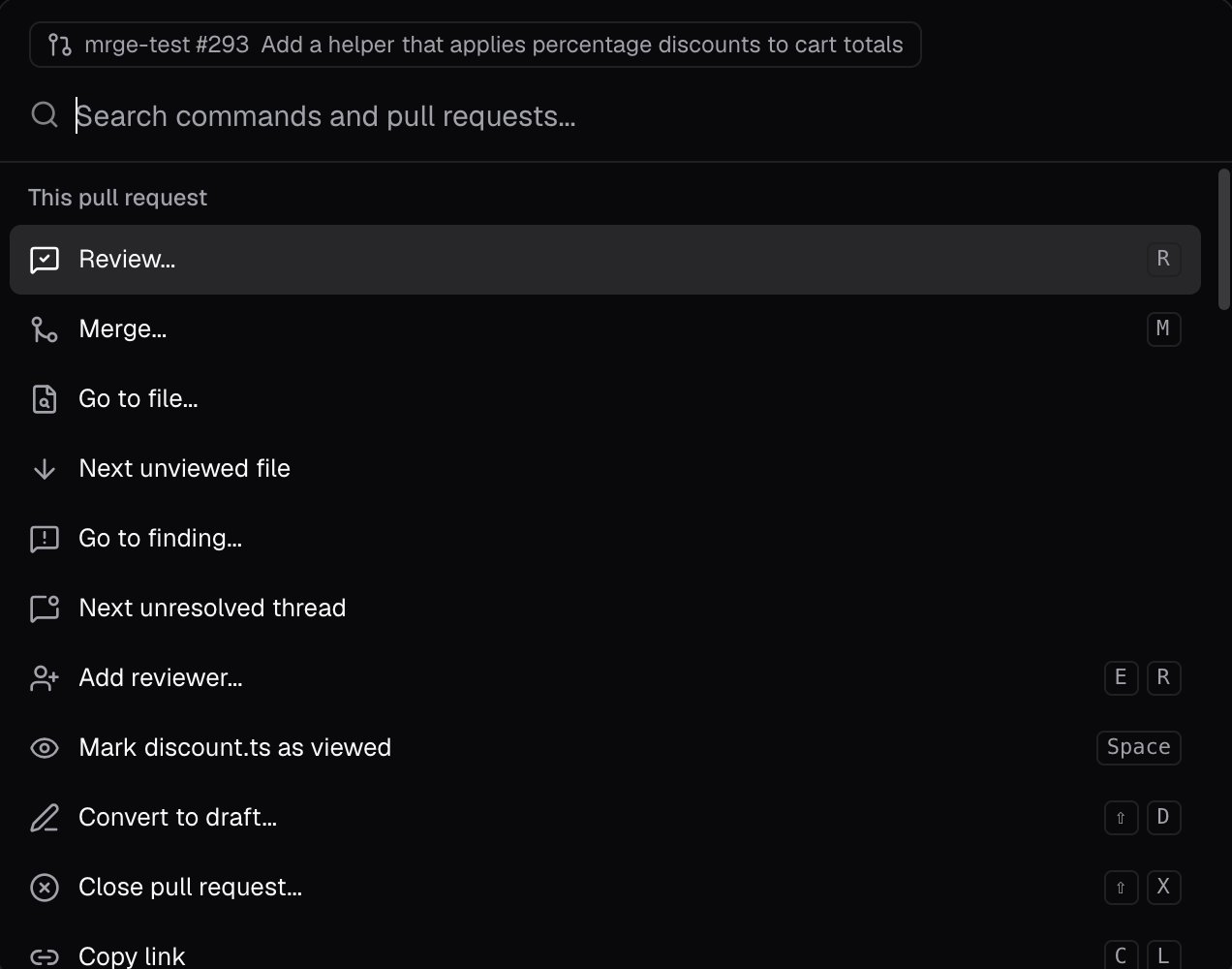
On a PR page, the command bar also offers actions for that PR: review, merge, go to a file or one
of cubic's issues, add a reviewer, or copy its link. Lists number their first nine rows, so typing a
number picks one.
 ## Find a setting
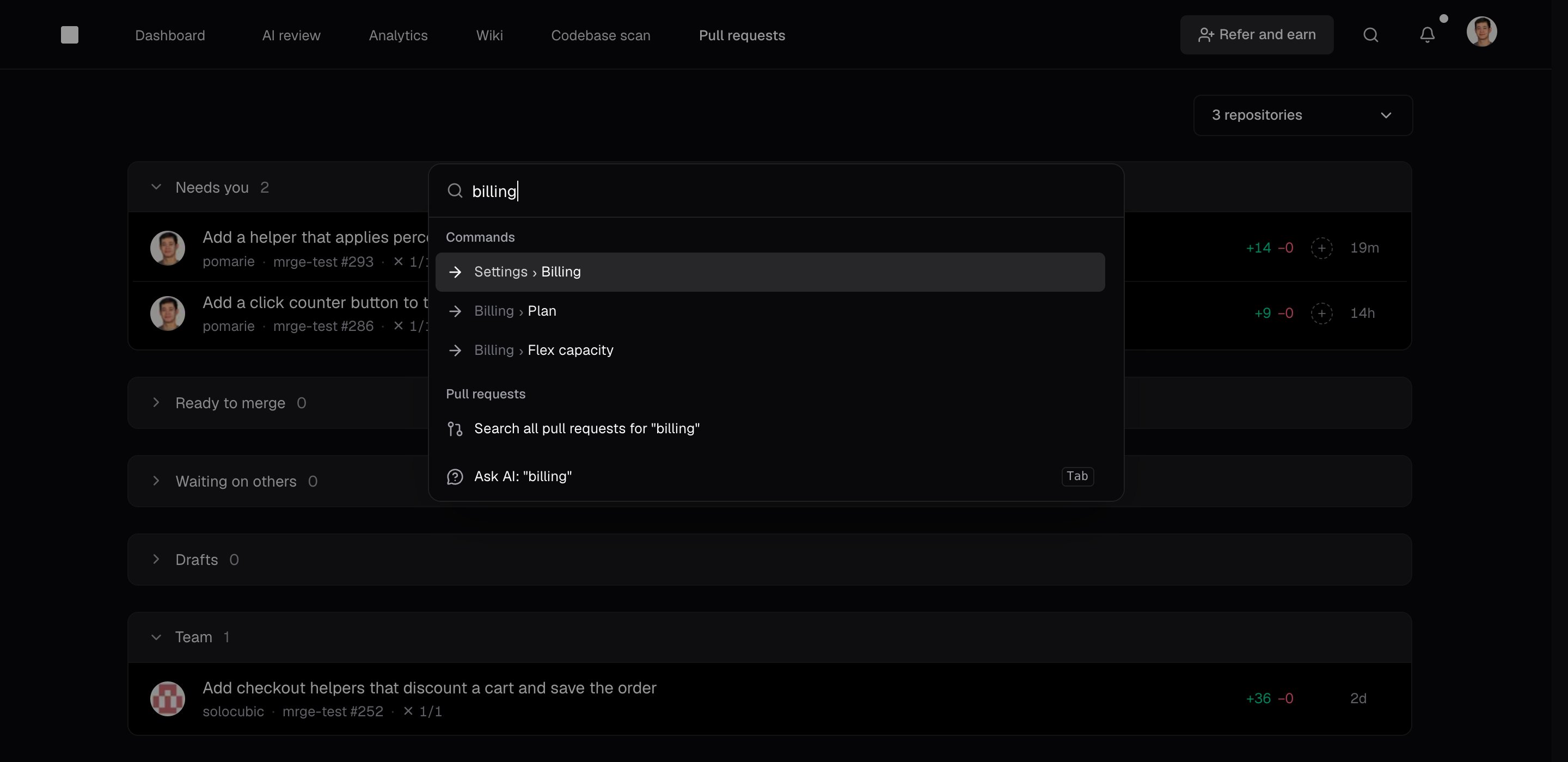
Type a setting's name, such as `billing` or `slack`, to find settings pages and individual
settings. Picking a setting opens its page, scrolls to it, and outlines it. In Settings, you can
also use the **Search settings** box at the top of the sidebar. Press `/` to focus it.
## Find a setting
Type a setting's name, such as `billing` or `slack`, to find settings pages and individual
settings. Picking a setting opens its page, scrolls to it, and outlines it. In Settings, you can
also use the **Search settings** box at the top of the sidebar. Press `/` to focus it.
 In the [desktop app](/code-review-platform/desktop-app), press `Control + Option + C` on macOS or
`Control + Alt + C` on Windows and Linux to open the command bar from any app. A PR link on your
clipboard shows up first.
## Review shortcuts
These shortcuts work on PR pages. `G` then `I` works on any page, and `J` and `K` also work in
the inbox:
| Shortcut | Action |
| - | - |
| `G`, then `I` | Go to the pull request inbox. |
| `J` | Select the next PR in the inbox, or the next file in a diff. |
| `K` | Select the previous PR in the inbox, or the previous file in a diff. |
| `Shift + J` | Scroll down in the diff. |
| `Shift + K` | Scroll up in the diff. |
| `Space` | Mark the active file viewed, or unmark it. |
| `C` | Open or close a file comment draft. |
| `R` | Open the review menu. |
| `Shift + A` | Start an **Approve** review. |
| `Shift + R` | Start a **Request changes** review. |
| `Shift + C` | Start a **Comment** review. |
| `Cmd + I` or `Ctrl + I` | Open AI chat, with any selected code added. |
| `Shift + G` | Open the PR in GitHub. |
When the review menu is open, `Cmd + Enter` or `Ctrl + Enter` submits the review.
## See every shortcut
Open **Keyboard shortcuts** from your user menu, or search for **Show keyboard shortcuts** in the
command bar. The list shows the shortcuts for the page you're on.
This documentation is built and hosted on [Mintlify](https://mintlify.com), a developer documentation platform.
In the [desktop app](/code-review-platform/desktop-app), press `Control + Option + C` on macOS or
`Control + Alt + C` on Windows and Linux to open the command bar from any app. A PR link on your
clipboard shows up first.
## Review shortcuts
These shortcuts work on PR pages. `G` then `I` works on any page, and `J` and `K` also work in
the inbox:
| Shortcut | Action |
| - | - |
| `G`, then `I` | Go to the pull request inbox. |
| `J` | Select the next PR in the inbox, or the next file in a diff. |
| `K` | Select the previous PR in the inbox, or the previous file in a diff. |
| `Shift + J` | Scroll down in the diff. |
| `Shift + K` | Scroll up in the diff. |
| `Space` | Mark the active file viewed, or unmark it. |
| `C` | Open or close a file comment draft. |
| `R` | Open the review menu. |
| `Shift + A` | Start an **Approve** review. |
| `Shift + R` | Start a **Request changes** review. |
| `Shift + C` | Start a **Comment** review. |
| `Cmd + I` or `Ctrl + I` | Open AI chat, with any selected code added. |
| `Shift + G` | Open the PR in GitHub. |
When the review menu is open, `Cmd + Enter` or `Ctrl + Enter` submits the review.
## See every shortcut
Open **Keyboard shortcuts** from your user menu, or search for **Show keyboard shortcuts** in the
command bar. The list shows the shortcuts for the page you're on.
This documentation is built and hosted on [Mintlify](https://mintlify.com), a developer documentation platform.