
Cmd + K on macOS
or Ctrl + K on Windows and Linux. Search for any PR, page, or action from there.
Find a PR or action
Type# or / to search pull requests by title, PR number, repository, or author. Use the arrow
keys and Enter to select a result. Press Esc to close the command bar.
The command bar opens with the commands for the page you’re on. In the inbox, your review queue
and recent PRs come next. Search ranks commands and pull requests together.
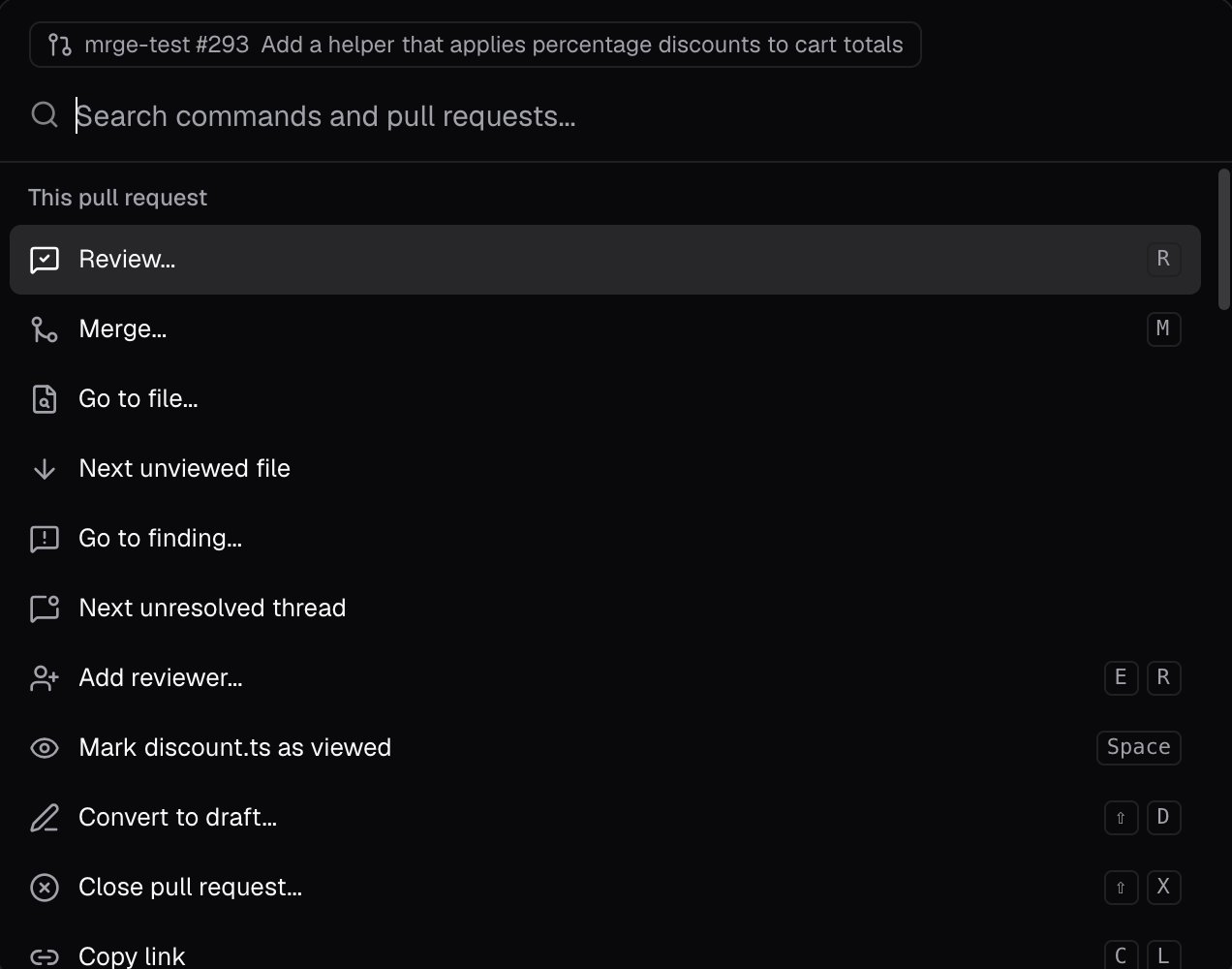
On a PR page, the command bar also offers actions for that PR: review, merge, go to a file or one
of cubic’s issues, add a reviewer, or copy its link. Lists number their first nine rows, so typing a
number picks one.
Find a setting
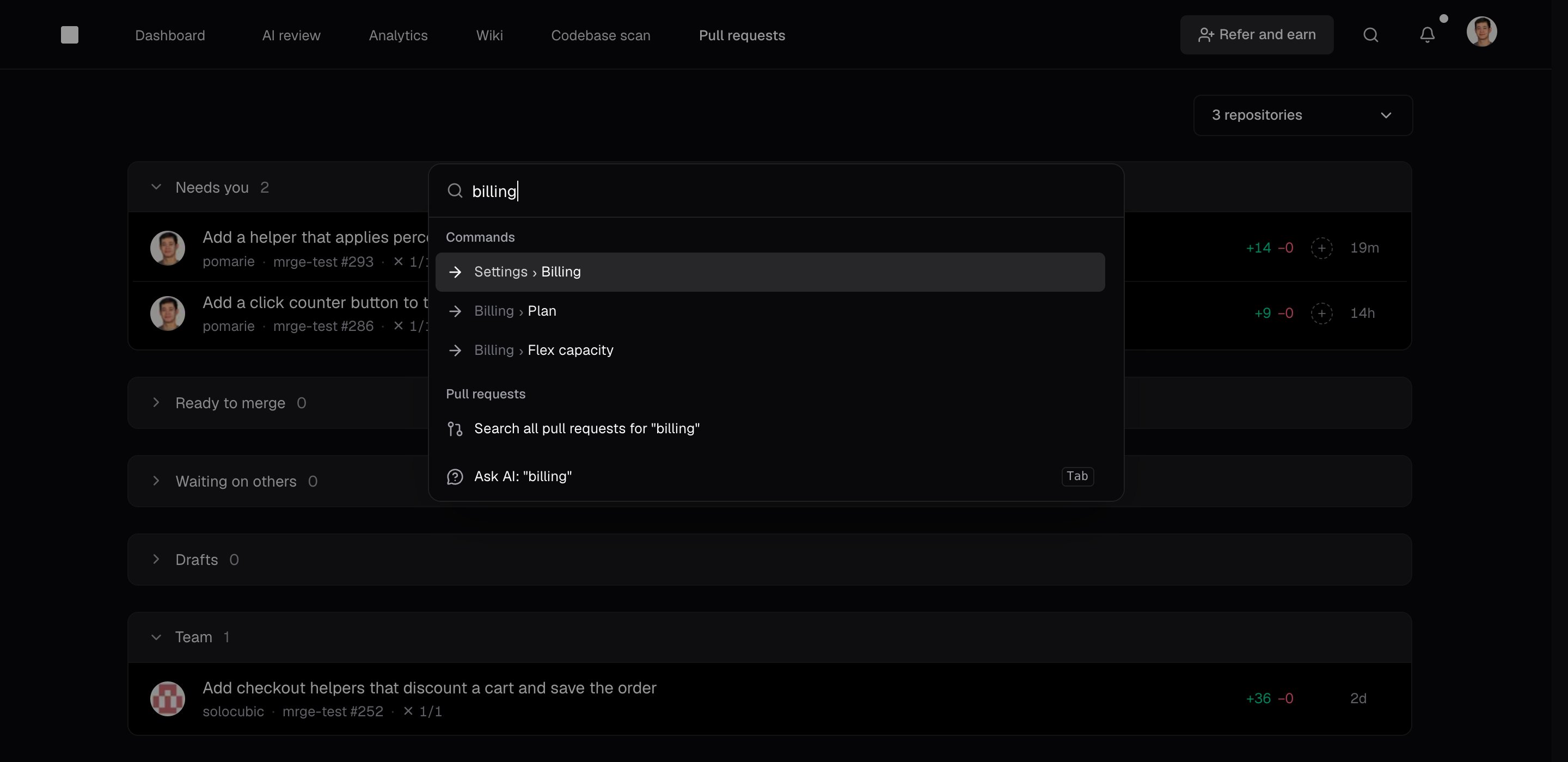
Type a setting’s name, such asbilling or slack, to find settings pages and individual
settings. Picking a setting opens its page, scrolls to it, and outlines it. In Settings, you can
also use the Search settings box at the top of the sidebar. Press / to focus it.
Control + Option + C on macOS or
Control + Alt + C on Windows and Linux to open the command bar from any app. A PR link on your
clipboard shows up first.
Review shortcuts
These shortcuts work on PR pages.G then I works on any page, and J and K also work in
the inbox:
When the review menu is open,
Cmd + Enter or Ctrl + Enter submits the review.