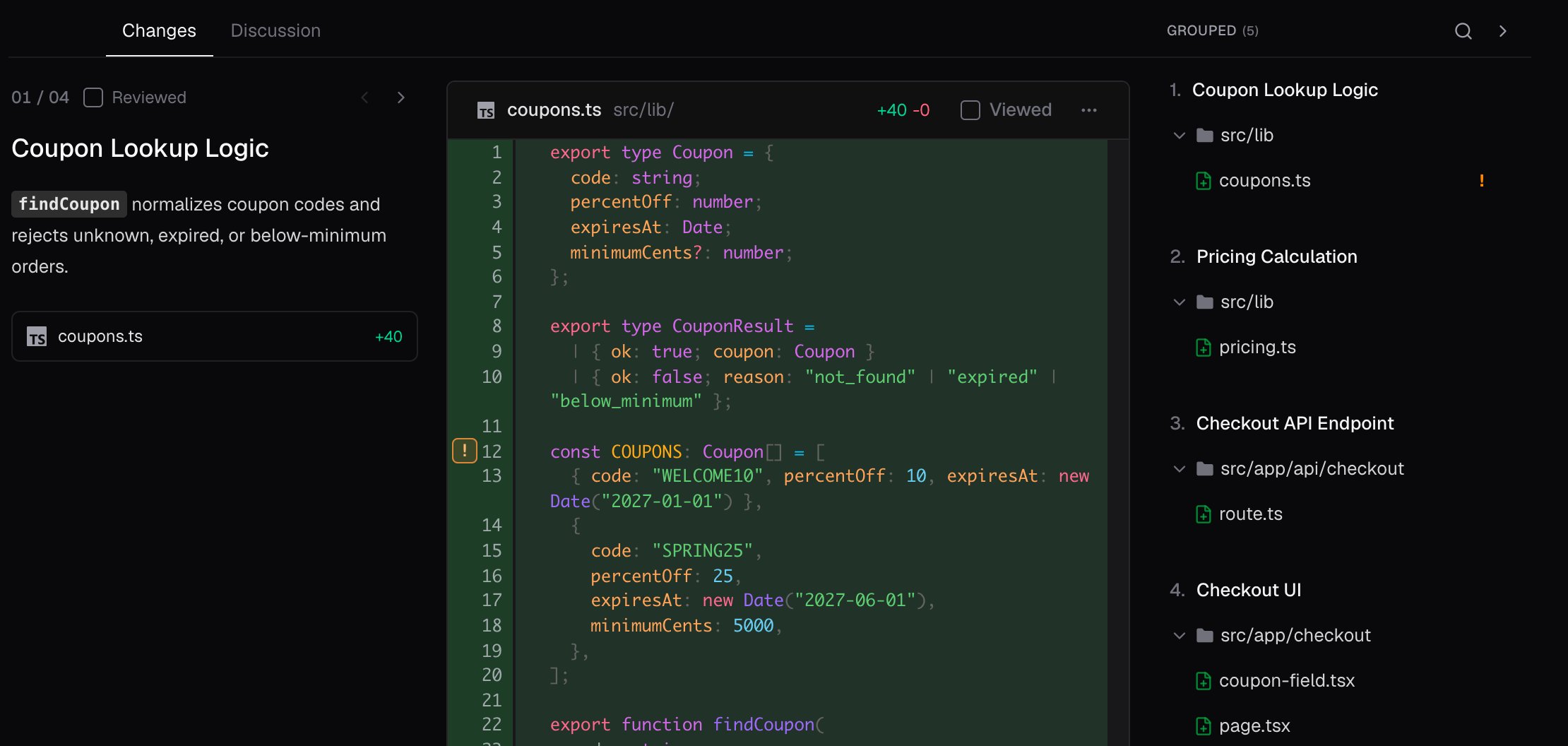
A PR often changes several files to do one thing. cubic groups those files together and orders them for review, so you can follow the change across the codebase. For example, a PR that adds coupon codes to checkout might change a coupon lookup, the pricing math, a checkout API, and a checkout page. cubic puts the lookup and pricing first, then the API, then the page, so each group builds on the one before it. The Coupon Lookup Logic group with its explanation and diff, beside a file list of four groups in review order

Follow the review order

In the Changes tab, choose Grouped at the top of the file list. Each group has a name that describes the change. Open a file to jump to its diff, or read through the group in order. cubic orders the groups, and the files in each group, for a first read. Code that defines behavior, such as schema changes, API contracts, and core logic, comes first. Tests and generated files such as lockfiles usually come later.

Read the explanations

For members on screens 768 pixels wide and up, a card at the top of AI chat shows the group you’re reading, with its name, a short explanation, and its size. The card changes when you scroll into the next group, and its arrows move between groups. Public viewers and smaller screens see the explanation beside each group. The card also lists the group’s review decisions. Click a decision’s file and line to jump to it.

Read a large PR in chapters

On a PR with more than 50 files, Changes shows one group at a time, so the page doesn’t load every file at once. Use the group arrows or the file list to move to the next group. Until cubic finishes grouping the files, the PR is split into pages of files, such as Files 1–44, and the groups replace them when they’re ready. For a deeper walkthrough, ask AI chat to “tour this PR”. The tour follows the review order, opens each file, and explains what to check.

Track your progress

When you finish reading a file, mark it Viewed. To mark every file in a group at once, mark the group Viewed. cubic then moves you to the next group.

Browse by folder

To see the changed files in their directory structure, switch to Tree. You can also search the file list to jump to a file by name. To focus on the implementation, choose Diff settings > Hide test files from the PR actions menu. Show the tests again when you’re ready to review them.