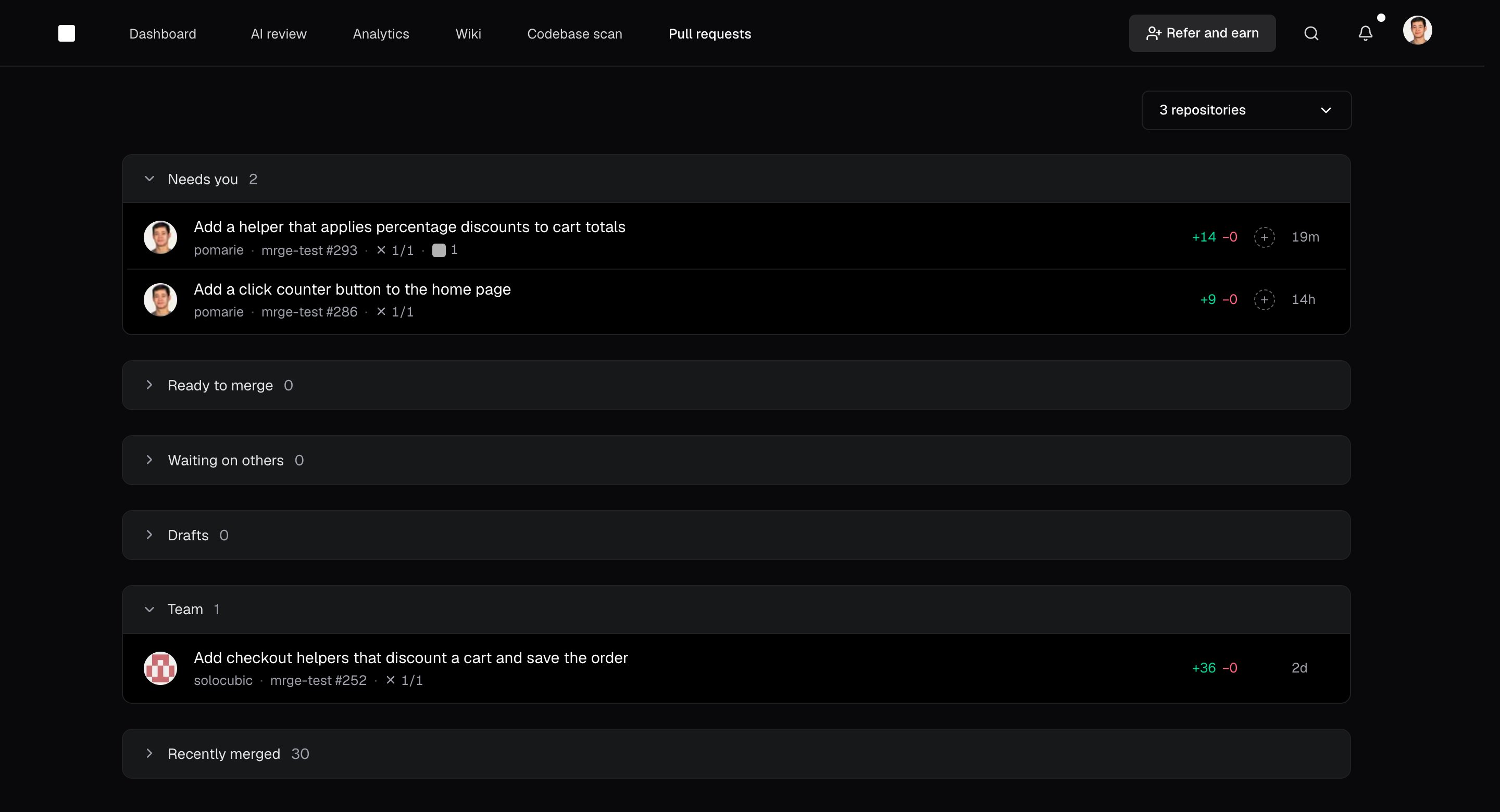
The pull request inbox collects PRs from your selected repositories and sorts them by who needs to act. What waits on you comes first, then your own PRs, then your team’s.

Find what needs attention

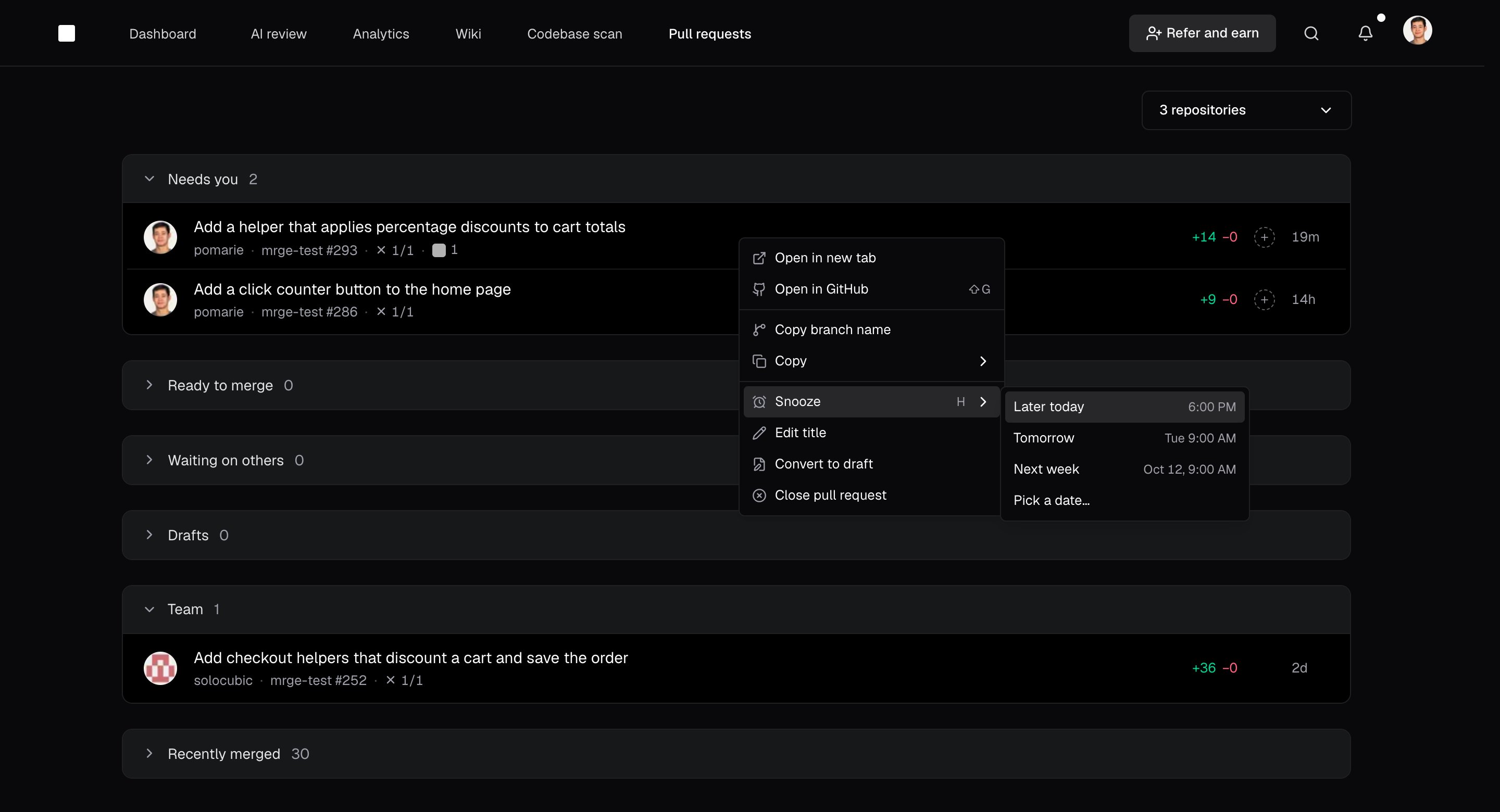
The inbox lists PRs in these sections, from top to bottom: Select a section’s header to collapse or expand it. The inbox with Needs you, Ready to merge, Waiting on others, Drafts, Team, and Recently merged sections Open a PR to read the diff and submit your review. To merge a PR that’s ready to merge without opening it, hover it and select Merge. Right-click a PR to approve it, merge it, snooze it, or open it on GitHub. Snooze a PR to set it aside until later today, tomorrow, next week (Monday morning), or a day you pick. It waits in Snoozed and returns to its section at that time. To bring it back sooner, right-click it and select Unsnooze. A PR's right-click menu in the inbox with Snooze open: Later today, Tomorrow, Next week, and Pick a date
Focus your inbox

Use the repository picker to choose which repositories appear. Your teammates’ PRs are in Team. To find a particular PR, open the command bar with Cmd + K or Ctrl + K, then type # to search pull requests.

Move through reviews

Use these keys to move through your reviews:
  • J selects the next PR, and K selects the previous one.
  • Enter opens the selected PR.
  • Shift + A approves the selected PR, and Shift + G opens it on GitHub.
  • Shift + M merges the selected PR when it’s ready to merge.
  • H opens snooze options for the selected PR.
  • G, then I, returns to the inbox.

Get PR notifications in Slack

Connect Slack to get cubic’s PR notifications in your team’s workspace. From a notification, you can open a private channel for the PR with its author and reviewers.